Have you ever wondered if your study methods are actually working? Not just whether you can recall information, but whether you're learning at the optimal rate? For most students, the answer is frustratingly unclear. You study for hours, take practice tests, and hope for the best.
Precision Teaching offers a different approach—one where learning isn't guesswork but measurable science. Developed by Ogden Lindsley in the 1960s, Precision Teaching provides tools to measure exactly how quickly you're improving and whether your study methods are effective.
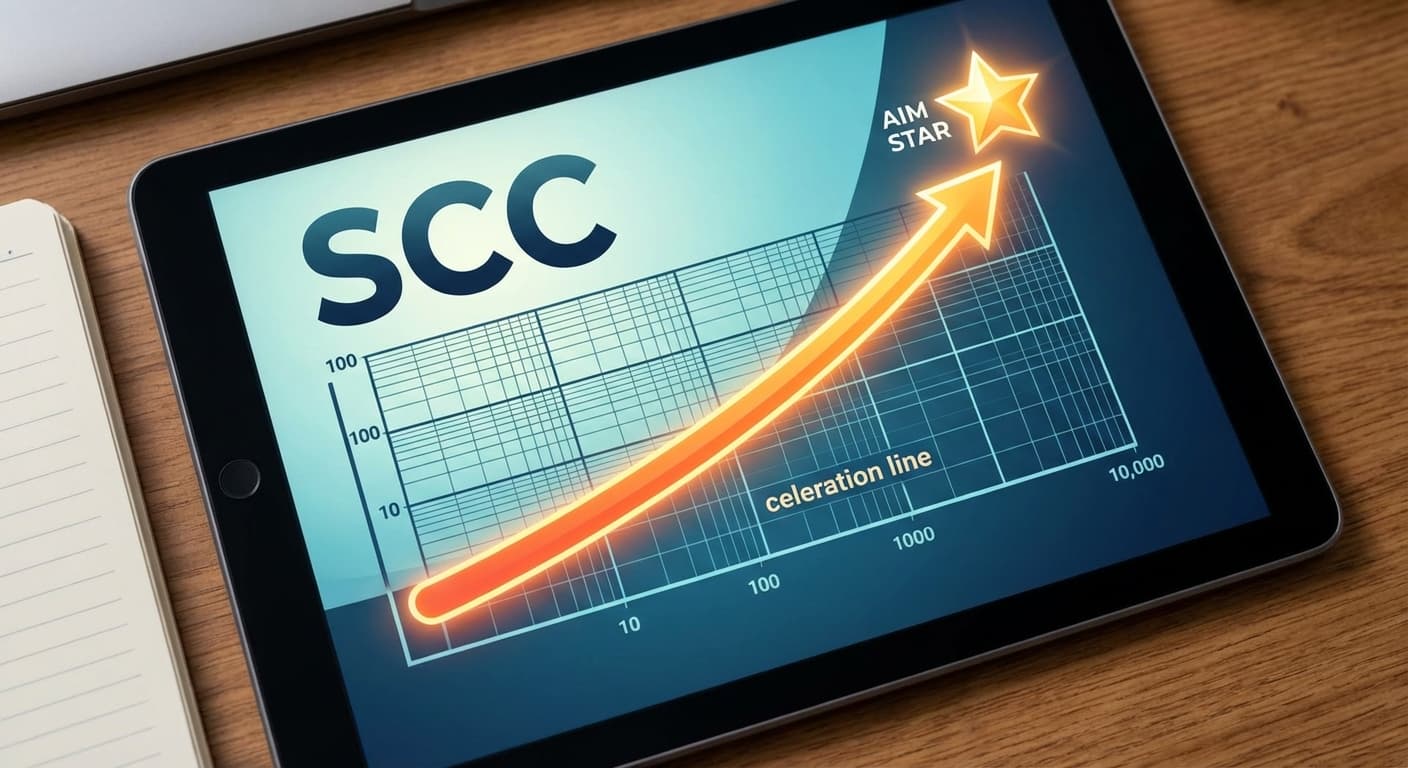
At the heart of this methodology is the Standard Celeration Chart (SCC)—a powerful visualization tool that reveals learning patterns invisible to conventional tracking methods.
What is Precision Teaching?
Precision Teaching is a measurement system for learning, not a teaching method itself. Think of it like a GPS for education: it doesn't tell you which road to take, but it shows exactly where you are and how fast you're progressing toward your destination.
The Four Freedoms of Precision Teaching
Ogden Lindsley established four freedoms that define the Precision Teaching approach:
- Freedom to respond: Learners should be able to respond as many times as possible during measurement
- Freedom to monitor: Learners should track their own performance
- Freedom to chart: Data should be visualized on Standard Celeration Charts
- Freedom to change: Instruction should change based on what the data shows
Understanding the Standard Celeration Chart
The Standard Celeration Chart is unique among educational measurement tools. Unlike traditional graphs, it uses a semi-logarithmic scale that reveals proportional changes in behavior over time.
Why a Logarithmic Scale?
Consider this scenario: A student improves from 10 to 20 correct responses per minute in Week 1 (doubling), then from 20 to 30 correct in Week 2 (50% increase). On a standard graph, both weeks show a 10-point gain, making them look equal. But are they?
The first week represents a 100% improvement—doubling performance. The second week, while still progress, is only 50% improvement. A logarithmic scale reveals this crucial difference.
📊 Why This Matters: Equal distances on a Standard Celeration Chart represent equal proportional changes. This makes learning patterns visible that would be hidden on traditional graphs.
Key Components of the Chart
1. The Count Per Minute (Y-Axis)
The vertical axis shows frequency of behavior, ranging from 0.001 to 1000 counts per minute. This range accommodates everything from rare behaviors to extremely rapid responses.
2. Calendar Days (X-Axis)
The horizontal axis represents time, with each day taking equal space. Standard charts typically span 140 days (20 weeks), with Sunday lines emphasized for easy week identification.
3. The Celeration Line
This is where the magic happens. A celeration line shows the rate of change—how quickly performance is improving or declining over time.
Understanding Celeration
Celeration is the heart of Precision Teaching. It measures the rate of change in performance over time, expressed as a multiply (x) or divide (÷) factor.
What the Numbers Mean
| Celeration | Meaning | Example |
|---|---|---|
| x2.0 | Performance doubles each week | 10 → 20 → 40 |
| x1.5 | 50% improvement weekly | 10 → 15 → 22.5 |
| x1.25 | 25% improvement weekly | 10 → 12.5 → 15.6 |
| x1.0 | No change | 10 → 10 → 10 |
| ÷1.5 | 33% decline weekly | 10 → 6.7 → 4.4 |
The "Learning Picture"
In Precision Teaching, we look at multiple data streams simultaneously:
- Corrects: Accurate responses (we want acceleration)
- Errors: Incorrect responses (we want deceleration)
- Skips: Unattempted items (we want deceleration)
A healthy learning picture shows:
- Corrects accelerating upward (x1.3 to x2.0)
- Errors decelerating downward (÷1.3 to ÷2.0)
- A widening gap between corrects and errors
Fluency Aims and Outcomes
Precision Teaching doesn't just measure learning—it defines what successful learning looks like through fluency aims and outcomes.
What is a Fluency Aim?
A fluency aim is a performance target, typically expressed as corrects per minute. Aims are specific to the learning channel — spoken (see/say) rates run 2-3x higher than typed (see/type) rates, and they never transfer. For example:
- Basic terminology recall: 40-60/min spoken · 15-25/min typed
- Complex definitions: 30-40/min spoken · 8-12/min typed
- Application scenarios: 20-30/min spoken · 6-10/min typed
⚡ Why Speed Matters: Fluency isn't about rushing. It's about automaticity—having knowledge so well established that recall is effortless, freeing mental resources for higher-order thinking.
RESA Outcomes
True fluency produces four critical outcomes, known by the acronym RESA:
- Retention: Information stays in long-term memory
- Endurance: Performance maintains during extended periods
- Stability: Performance remains accurate despite distractions
- Application: Knowledge transfers to novel situations
Implementing Precision Teaching in Your Study Routine
Here's how to apply Precision Teaching principles to your own learning:
Step 1: Define What You're Measuring
Be specific about the behavior you're tracking:
- ✅ "Correct definitions stated per minute"
- ❌ "Understanding of terminology"
The behavior should be:
- Observable: You can see or hear it
- Countable: You can count occurrences
- Reliable: Others would count the same way
Step 2: Establish Your Timing Protocol
Standard timing practices include:
- 1-minute timings: Standard for most fluency building
- Multiple timings per session: 3-5 timings allows for variability
- Best performance charted: Chart your highest daily timing
Step 3: Record Your Counts Daily
After each practice session:
- Count your corrects and errors
- Plot both on your Standard Celeration Chart
- Connect consecutive data points
- Look for patterns and trends
Step 4: Draw Celeration Lines
Once a phase has at least five charted days — seven to ten is better — draw a celeration line through each series:
- Fit it by the split-middle method. Halve the phase, take the middle date and median frequency of each half, join those two points, then slide the line until half the points sit on each side. This is the hand method Van (2025) adopts and recommends, after Pennypacker et al. (2003), and it is what TAFMEDS draws by default; least squares on the log of the frequencies is offered as a labelled alternative, not as the standard method.
- Read the celeration off the line as a weekly multiplier, written xN when frequency is growing and ÷N when it is falling.
- Compare it with the x2 per week doubling the chart was built around (Lindsley, 1990). Draw one line per series per condition, and never one line across a phase change.
Step 5: Make Data-Based Decisions
Your chart tells you what to do:
| Pattern | Interpretation | Action |
|---|---|---|
| Corrects accelerating, errors decelerating | Healthy learning | Continue current approach |
| Flat corrects line | Learning plateau | Change something |
| Corrects decelerating | Learning problem | Investigate and intervene |
| High errors persisting | Practice is reinforcing errors | Focus on error correction |
Common Precision Teaching Interventions
When data shows a problem, consider these evidence-based interventions:
For Flat or Slow Acceleration
- Slice back: Break content into smaller, easier pieces
- Increase frequency: Add more daily practice sessions
- Add prompts: Provide additional support initially
- Change materials: Try different card formats or content organization
For High Error Rates
- Error correction procedure: Immediate feedback with practice
- Untimed practice: Build accuracy before adding timing
- Reduce load: Fewer cards per session
- Pre-training: Teach prerequisite skills first
For Declining Performance
- Check motivation: Ensure reinforcement is in place
- Reduce fatigue: Shorter sessions, more breaks
- Review prerequisites: Address foundation gaps
- Vary practice: Add different activities between timings
How TAFMEDS Implements Precision Teaching
TAFMEDS brings Precision Teaching principles to digital flashcard practice:
Automatic Timing and Counting
Stop fumbling with timers and tally sheets. TAFMEDS:
- Runs precise one-minute timings
- Automatically counts corrects and errors
- Calculates performance metrics instantly
Visual Progress Tracking
See your learning picture clearly:
- Interactive charts showing your performance over time
- Celeration calculations showing your learning rate
- Clear visualization of progress toward fluency aims
Data-Driven Recommendations
Let the data guide your practice:
- Automatic identification of problem areas
- Suggested deck modifications based on performance
- Progress alerts when you're approaching fluency
Evidence-Based Protocols
Built-in practice structures based on research:
- Multiple timings per session
- Shuffled presentations to prevent sequence learning
- Immediate feedback on every response
Getting Started with Precision Teaching
Ready to bring scientific measurement to your learning? Here's your action plan:
Week 1: Learn the Basics
- Read about Precision Teaching fundamentals
- Understand the Standard Celeration Chart layout
- Learn to calculate celeration
Week 2: Start Simple Measurement
- Choose one skill to measure
- Conduct daily 1-minute timings
- Record your corrects and errors
Week 3: Begin Charting
- Plot your data on a Standard Celeration Chart
- Start identifying patterns
- Draw your first celeration lines
Week 4: Make Data Decisions
- Evaluate your learning rate
- Identify any problems in your data
- Implement changes as needed
Conclusion: Let Data Guide Your Learning
Precision Teaching transforms studying from guesswork into science. By measuring your learning with Standard Celeration Charts, you gain unprecedented insight into what's working, what isn't, and what to do about it.
The principles are simple:
- Measure frequency of correct and incorrect responses
- Chart daily on Standard Celeration Charts
- Calculate celeration to see your learning rate
- Make changes based on what the data shows
Whether you're preparing for a certification exam or building any new skill, Precision Teaching provides the tools to learn faster, more efficiently, and with confidence that your methods are working.
Start measuring. Start charting. Start learning with precision.
References
- Lindsley, O. R. (1992). Precision teaching: Discoveries and effects. *Journal of Applied Behavior Analysis, 25*(1), 51-57.
- Johnson, K. R., & Street, E. M. (2013). *Response to intervention and precision teaching*. Guilford Press.
- White, O. R. (1986). Precision teaching—Precision learning. *Exceptional Children, 52*(6), 522-534.
- Binder, C. (1996). Behavioral fluency: Evolution of a new paradigm. *The Behavior Analyst, 19*(2), 163-197.
- Graf, S. A., & Lindsley, O. R. (2002). *Standard Celeration Charting*. Graf Implements.
- Lindsley, O. R. (1990). Precision teaching: By teachers for children. *Teaching Exceptional Children, 22*(3), 10-15.
- Pennypacker, H. S., Gutierrez, A., & Lindsley, O. R. (2003). *Handbook of the standard celeration chart*. Zerographics.
- Van, J. (2025). *The one-minute counting procedure and inner behavior: Targeting anxiety in middle school students* [Doctoral dissertation, The Pennsylvania State University]. Penn State Electronic Theses and Dissertations for Graduate School.